Features How It Works Devices FAQ Download Free
Redesigned in 2026 with major new features

Stream anything to
any screen, instantly

Cast videos, music, and photos from your phone to Chromecast, Roku, Apple TV, Smart TVs, and 200+ devices. Free, no account needed.

50M+ Downloads Since 2013 4.5 Rating
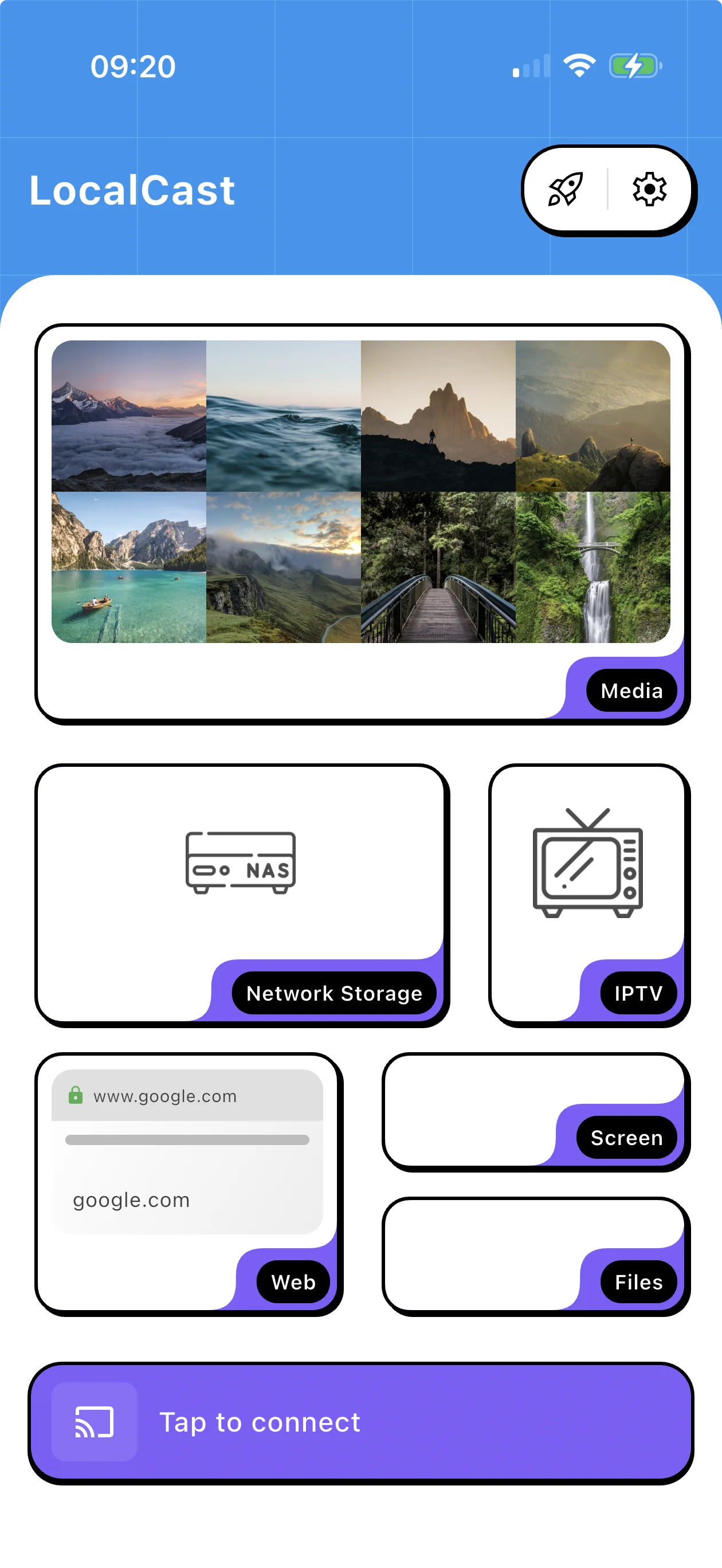
LocalCast app interface

Everything you need to cast

A single app that replaces a dozen. Cast from any source to any screen with advanced features built in.

Cast from Any Website

The built-in browser auto-detects videos on any webpage. Just browse, tap cast, and watch on your TV.

https://example.com/videos/movie
Video detected — Tap to cast

200+ Supported Devices

Works with virtually every streaming device, smart TV, and media receiver on the market.

Chromecast Roku Apple TV Fire TV Samsung TV LG TV Sony TV DLNA Xbox Sonos

Smart Queue & Playlists

Line up episodes, create playlists, and binge-watch without interruption. Your queue, your rules.

Multiple Sources

Cast from your phone, NAS, cloud storage (Dropbox, Google Drive, OneDrive), SMB, FTP, or WebDAV.

Advanced Subtitles

Full support for SRT, ASS, and SSA formats with automatic downloads from OpenSubtitles.

IPTV Streaming

Import M3U playlists, browse EPG guides, and stream live TV channels directly to your big screen.

Free Forever

No account required. No hidden fees. No subscriptions. Just download and start casting.

Fast & Lightweight

Optimized for performance. Small install size, minimal battery drain, instant device detection.

Three steps to the big screen

From download to watching in under a minute. It really is that simple.

1

Download the App

Get LocalCast free on Android or iOS. No account or sign-up needed to start.

2

Pick Your Content

Choose a video, photo, or music file from your phone, a website, your NAS, or cloud storage.

3

Cast & Enjoy

Tap a device on your network and watch it appear on the big screen. Queue up more while you watch.

LocalCast app
Auto-Detect Queue Subtitles Fast Cast

Designed for simplicity,
built for power

A clean interface that puts you in control. Browse, queue, and cast with intuitive gestures. Full media controls right on your phone while your TV does the heavy lifting. Advanced features are there when you need them, hidden when you don't.

Works with your devices

Support for over 200 devices across every major platform and protocol.

Streaming Devices

Chromecast Chromecast Ultra Fire TV Stick Fire TV Cube Roku Express Roku Ultra Apple TV NVIDIA Shield

Smart TVs

Samsung LG Sony Philips TCL Hisense Vizio Any DLNA TV

Audio & Gaming

Sonos Xbox One Xbox Series X Google Home JBL Link Bose SoundTouch Denon HEOS Any DLNA Speaker

Loved by millions

Don't take our word for it. Here's what our users have to say.

★★★★★

"I've tried every casting app out there and LocalCast is the only one that reliably works with all my devices. Chromecast in the living room, Roku in the bedroom, Samsung TV in the kitchen -- one app handles them all. The built-in browser is a game-changer."

Marcus W. Google Play Review
★★★★★

"What I love most is the subtitle support. I watch a lot of foreign films and LocalCast automatically downloads the right subtitles from OpenSubtitles. The queue feature is also perfect for binge-watching. Best free app I've ever used."

Sarah L. App Store Review
★★★★★

"Been using LocalCast since 2015. It's gotten better every year without turning into bloatware. Connects to my NAS over SMB, handles 4K files without breaking a sweat, and the IPTV feature replaced a separate app. Solid, reliable, fast."

David K. Google Play Review

Common questions

Everything you need to know about LocalCast.

Yes, LocalCast is completely free to download and use. All core casting features are available at no cost, with no account required and no time limits. There is an optional premium upgrade that removes ads and unlocks a few extra features, but the free version is fully functional for everyday casting.
LocalCast supports over 200 devices including all generations of Chromecast, Roku players, Apple TV, Amazon Fire TV, NVIDIA Shield, and smart TVs from Samsung, LG, Sony, Philips, TCL, Hisense, and Vizio. It also works with any DLNA/UPnP compatible device, Sonos speakers, Xbox consoles, and more. If a device supports casting or DLNA, LocalCast can likely connect to it.
Absolutely. LocalCast includes a built-in web browser that automatically detects playable video and audio on any webpage you visit. When a video is found, you'll see a cast button appear. Just tap it, choose your device, and the media plays on your TV. This works with most websites that host video content.
LocalCast has built-in IPTV support. Go to the IPTV section in the app, then add your M3U playlist URL. The app will load all available channels and, if an EPG (Electronic Program Guide) URL is provided, display a full TV guide. You can then browse channels by category, view the program schedule, and cast live TV directly to your Chromecast, Smart TV, or any other supported device.
Yes, LocalCast has comprehensive subtitle support. It handles SRT, ASS, and SSA subtitle formats out of the box. You can load subtitle files from your device or use the built-in OpenSubtitles integration to automatically search and download matching subtitles for your video. Subtitle appearance including font size, color, and position can be customized in the settings.
Yes. LocalCast can access files from a wide range of network and cloud sources. For local network storage, it supports SMB/CIFS shares (like NAS devices), FTP, and WebDAV servers. For cloud storage, you can connect Dropbox, Google Drive, and OneDrive. Once connected, you can browse your files and cast them directly to your TV without downloading them to your phone first.

Start casting today

Join 50 million people who chose the smarter way to stream. Free on Android and iOS.